

Productivity AI Integrations for Small Business: A Practical 2026 Guide
Productivity AI integrations connect your existing business tools to an intelligent system that drafts, follows up, and records outcomes. For small businesses, the value lies in reducing manual handoffs and preserving context across tasks. Before adding one, you must verify how the system handles authority, data privacy, and the specific workflows it will manage. This guide explains the mechanics and the critical checks required for safe deployment.
The Mechanics of Business AI Integration
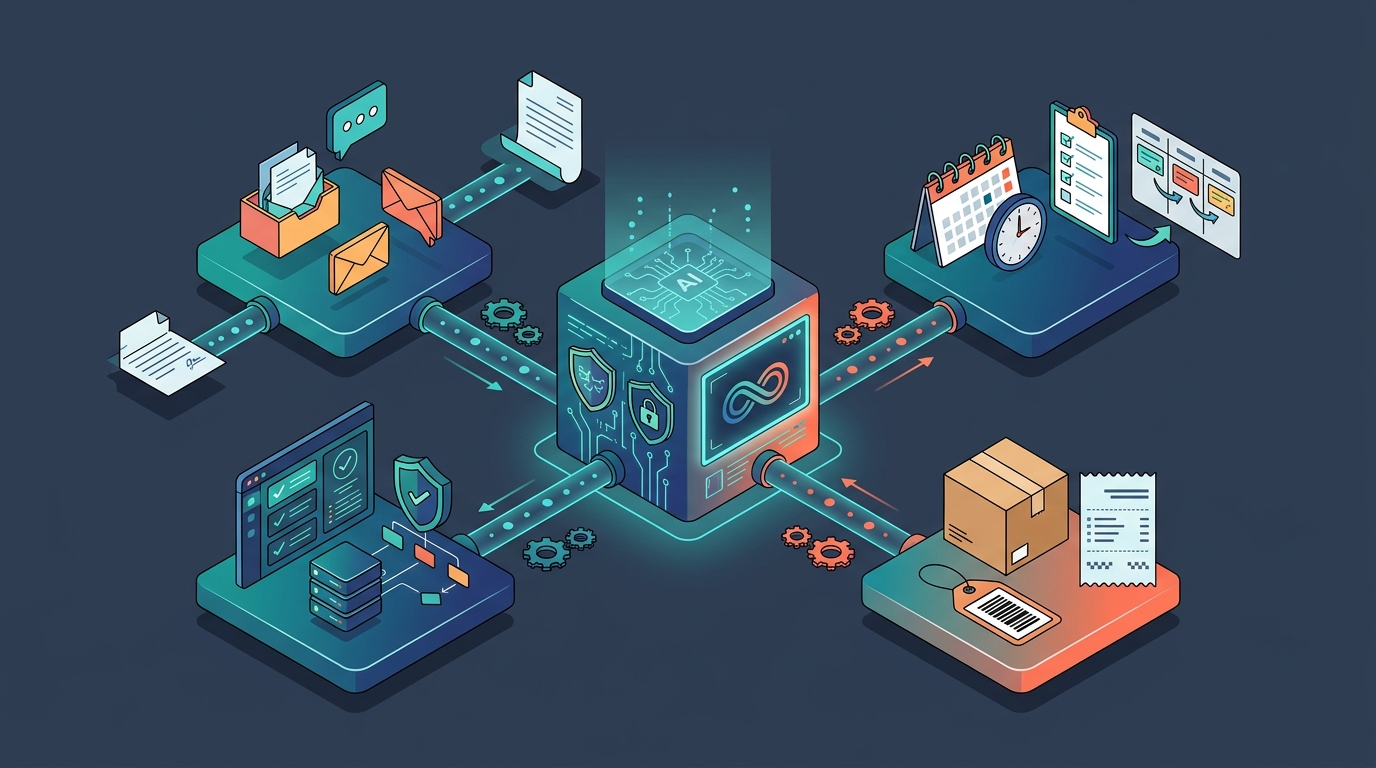
Productivity AI integration is the process of linking an AI model to a company's operational data sources, such as email, CRM, or project management tools. The system does not just answer questions; it executes tasks within a defined scope. In a managed service model, a provider configures the AI to read from approved sources and write to specific destinations. This creates a closed loop where the AI acts, the system records the action, and the human reviews the result.
The core mechanism relies on structured memory. Unlike generic chatbots that forget previous interactions, business AI integrations store context in a workspace. This allows the system to remember a customer's preference from a call in January when drafting a proposal in March. The integration layer translates natural language instructions into API calls that update your existing software. This ensures that the AI's output is not just text, but a functional change in your business records.
Authority and Control in AI Workflows
Authority in AI systems is the written permission that defines what an AI is allowed to do without human approval. Without clear authority boundaries, an AI might draft a discount or send a contract that you never intended. A robust integration requires a separation between what the AI knows and what it can do. Knowledge is the data it reads; authority is the action it can take.
Small businesses often face a risk where an AI learns a pattern and assumes it has permission to repeat it. For example, if an employee manually approves a refund once, the AI might infer it can approve future refunds. To prevent this, the integration must use a gate system. Each action is checked against a written grant. If the grant says "compose only," the AI drafts the email but waits for a human to send it. If the grant says "scoped autonomy," the AI acts within a specific limit, such as refunds under $50. This distinction is critical for maintaining control.
Data Privacy and Operational Independence
Operational independence in AI deployment is the use of isolated databases for each client, ensuring that one company's data is never mixed with another's. This is a fundamental requirement for small businesses handling sensitive client information. When you use a managed AI service, you must verify that the provider uses independent primary operational databases. This means your customer records, financial data, and internal notes are stored in a secure environment dedicated solely to your company.
Privacy is not just about storage; it is about training. You must know if your data is used to train the underlying model for other clients. A trustworthy integration ensures that your company's data remains yours. If you leave the service, the data should be returned to you in a usable format. The provider should not hold your data hostage or use it to improve their product for competitors. This level of transparency is a key differentiator in the managed AI market.
Evaluating Fit for Your Specific Workflow
Workflow fit is the alignment between the AI's capabilities and the specific tasks your team performs daily. Not every business needs the same AI integration. A law firm needs document drafting and case research; a property management company needs tenant communication and vendor follow-up. Before adding an AI, identify the one task that causes the most friction. This could be answering repetitive phone calls, drafting invoices, or following up on missed opportunities.
Start with a single, high-value task. Do not attempt to automate your entire back office on day one. Implement the AI for one workflow, such as customer follow-up. Measure the time saved and the accuracy of the output. If the AI handles the follow-up correctly and the record is clear, you can expand to the next task. This phased approach reduces risk and allows your team to adapt to the new system. It also provides concrete data to justify the investment to stakeholders.
Key Takeaways
- Productivity AI integration connects AI to your operational tools to execute tasks, not just answer questions.
- Authority must be defined in writing to prevent the AI from taking unauthorized actions.
- Operational independence ensures your data is stored in an isolated database, protecting privacy.
- Start with one specific workflow to measure value and reduce implementation risk.
- Verify that the provider returns your data if you leave the service.
- The AI's knowledge of your business does not automatically grant it permission to act.
Frequently Asked Questions
What is the difference between a chatbot and a productivity AI integration?
A chatbot is a conversational interface that answers questions. A productivity AI integration is a system that connects to your business tools to execute tasks, such as sending emails or updating records. The integration has access to your operational data and can take actions within defined authority limits.
How does an AI know what it is allowed to do?
An AI operates based on written authority grants. These grants specify which capabilities are enabled and what level of autonomy is allowed. For example, a grant might allow the AI to draft emails but require human approval before sending. The system checks each action against these grants before proceeding.
Is my company data used to train the AI for other businesses?
This depends on the provider's privacy policy. In a managed private AI service, your data should be held in an independent database and not used to train the model for other clients. You should verify this in the service agreement and ensure that your data is returned to you if you cancel the service.
Do I need to buy special hardware for AI integration?
No, you do not need to buy office AI servers. Managed AI services operate the infrastructure in the cloud. Your team interacts with the AI through standard software interfaces, such as a web dashboard or email. The provider handles the servers, updates, and maintenance.
How long does it take to implement a productivity AI integration?
Implementation time varies based on the complexity of the workflow and the number of tools connected. A simple integration for one task, such as email drafting, can be set up in days. A more complex integration involving multiple systems and custom authority rules may take several weeks. The provider should provide a clear timeline in the proposal.
Conclusion
Adding a productivity AI integration to your small business is a strategic decision that requires careful planning. You must understand the mechanics of how the AI connects to your tools, how authority is controlled, and how your data is protected. By starting with a single workflow and verifying the provider's privacy and authority models, you can deploy AI that enhances your team's productivity without compromising control. For a detailed look at how this works in practice, you can see how Sabina handles company tasks or read about the authority model. To begin your assessment, start with a useful task and see how a managed private AI can fit your specific needs. Learn more: Questions Sabina.